
UIF Balance Check: How to Check Your UIF Balance in South Africa
If you are checking your UIF balance, you probably want to know one thing: is there money in my name, and how much? The answer is less simple than the question, and understanding it first will save you confusion.
A UIF balance is not a bank balance. There is no pot of cash sitting in an account with your name on it, waiting for you to withdraw it. What the UIF records for you is a history of contributions — months in which you and your employer paid into the Fund — and the credits those contributions earned you. Those credits decide how many days of benefits you could receive if you claim. When guides talk about "checking your UIF balance", they mean checking those credits and that contribution history.
This guide explains what a UIF balance actually is, the ways to check it, what each method shows you, and what to do when the record does not match your payslips.
What a UIF balance actually is
The Unemployment Insurance Fund is a social insurance fund. While you work, you pay 1% of your salary into it each month and your employer pays a further 1%. The Fund keeps a record of those contributions against your identity number.
From those contributions you build up credits — days of benefit you have earned. The more days you worked and contributed, the more credits you have, up to a limit. When you claim, the Fund pays you for a number of days, and your credits run down as you are paid. That is why your "balance" is usually shown as credit days, not as a rand amount.
Three consequences follow from this:
- You cannot withdraw your UIF balance like savings. Credits only turn into money through a benefit claim, when you qualify for one.
- A balance of zero credits does not mean your money was stolen. It usually means no contributions were recorded for you — because you never contributed, your employer never declared you, or your record is under a different identity number.
- Your balance and your claim status are different things. Your balance is about your contribution and credit history. Your claim status is about a specific application you have made. You can have credits and no claim, or a claim and no credits left.
Keep that distinction in mind while you read the rest of this guide: the check tells you what the Fund has on record for you, not what you will be paid.
UIF Benefit Balance Checker
GuideCredit days build up as you work and contribute, up to a maximum of 365 days in a four-year period. The accrual rate (one credit day per four days worked) is reported by secondary sources and was not verified against the Act — so the months-worked figure is an estimate; your actual credit days are on UIF Online or USSD.
What you can see when you check
Depending on the channel you use, a balance check can show you:
- Your contribution history — the months in which contributions were recorded for you, and by which employer.
- Your available credits — the credit days you have built up.
- Your claim history — claims you have made before, and their status.
- Your payment history — payments the Fund has made to you on earlier claims.
- Your case or reference number — useful when you contact the UIF or visit a Labour Centre.
What it will not show you is a guaranteed future payment. Credits are an entitlement measure, not a promise: whether you are paid, and how much, depends on the claim type, your circumstances and the Fund's assessment at the time you claim.
How to check your UIF balance online
The most complete way to check is online, on the official portals. Which portal you use depends on what you are checking, because the UIF's systems are in the middle of a migration.
The Department of Employment and Labour confirmed in a statement dated 24 May 2026 that the UIF is migrating in phases from the legacy uFiling system to a new platform called UIF Online, that the migration began in April 2025, and that employee claims functionality on the old uFiling platform has already been closed. The employer module remains temporarily accessible on the old platform while the upgraded employer services are finalised.
For contribution and credit history, the uFiling portal at ufiling.labour.gov.za is the system most guides describe. In broad terms, the online check works like this:
- Go to the official uFiling portal. Type the address yourself rather than clicking a search result or an advert — lookalike sites exist, and some charge for a "check" that the official portals provide free.
- Register or log in with your South African ID number and your password.
- On your dashboard, look for the balance or contributions section — described in guides as "Check my balance" — and follow the on-screen steps. You may be asked to complete a security check and enter your UIF reference number.
- Review what is shown: your contributions by month, your available credits, and any claim or payment history.
Because the migration is still under way, the exact labels and screens on the official portals can change, and new employee benefit claims now go through UIF Online at uifonline.labour.gov.za rather than uFiling. If the screen you see does not match the steps in this guide, follow the portal itself, not this article — and if you are checking in order to make a new claim, start at UIF Online.
A practical tip before you start: have your ID number, your UIF reference number if you have one, and your recent payslips nearby. Comparing the portal's monthly record against your payslips is the whole point of the check.
How to check your UIF balance by USSD
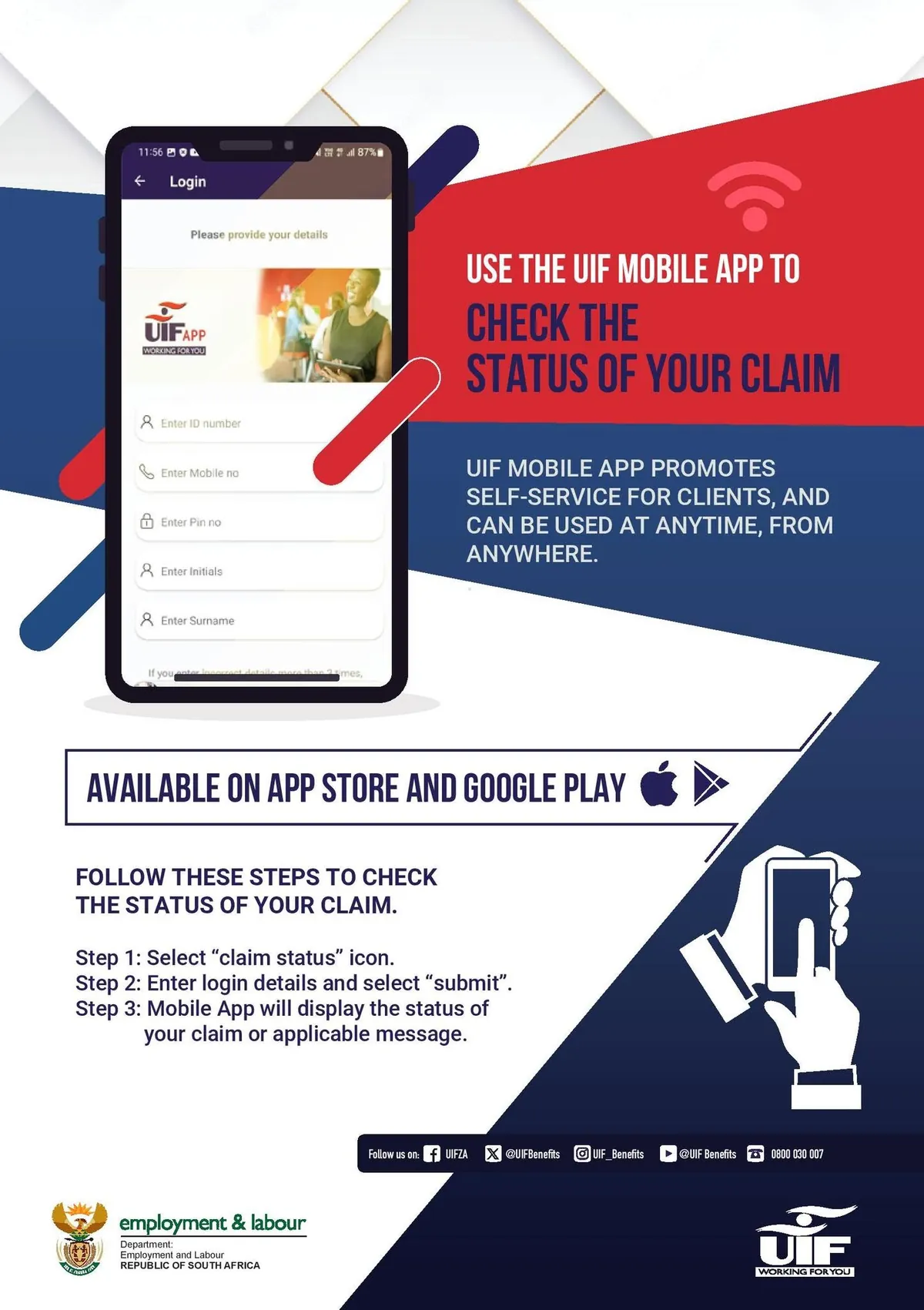
If you do not have internet access or a smartphone, you can check by USSD from any mobile phone. The Department of Employment and Labour has published a USSD channel for UIF services, and multiple sources report the code as *134*843#. The Department's published description of the service says its menu covers UIF claims and payment status, employee registration, payment continuation and general enquiries.
In broad terms: dial the code from your phone, wait for the menu, choose the balance or status option, and enter your ID number when asked. The service is described as free to use and as working without mobile data.
Two cautions. First, USSD shows you a summary, not the full picture — for a month-by-month contribution history, use the online portal. Second, codes can change, so if the code does not work, do not try codes from random websites. Confirm the current code through the Department of Employment and Labour or the UIF call centre on 0800 030 007 before trying another one.
How to check your UIF balance by phone or in person
If you cannot check online or by USSD, you have two further options:
- Call the UIF call centre on 0800 030 007. Have your ID number, your employer's name and your latest payslips ready, and ask clearly whether contributions show under your ID number and what your available credits are. The number is published on the UIF Online landing page and by the Department.
- Visit your nearest Labour Centre. Take your ID document and your payslips. Staff can look up your record and, according to guides, can provide a printout of your contribution history. This is also the right route if the online record is wrong and you need it corrected.
Neither route costs you anything. The UIF's own services are free, and anyone who asks for payment to check your balance is not acting for the Fund.
How to read your result
Once you can see your record, check three things:
1. Is every month you worked there?
You should see an entry for every month you worked and contributed. If a month is missing, note which month and which employer it belongs to before you do anything else.
2. Do the amounts match your payslips?
Each month's entry should reflect the UIF deduction on your payslip for that month — 1% from you and 1% from your employer. Small differences can come from how pay was calculated that month; a whole missing month is a different matter.
3. What are your credits?
Your available credits are the days of benefit you have earned. They are the number that matters when you claim: they set a limit on how long benefits can be paid. Do not convert them into a rand figure yourself — the amount payable per day depends on your pay and the benefit type, and it is worked out by the Fund when you claim.
If your record is complete and your credits look right, there is nothing more to do until you need to claim. If it is not, read the next section.
What to do if your balance is wrong or missing
A month is missing but your payslip shows a deduction
This is the most common problem, and the most serious: it can mean your employer deducted UIF from your pay but did not pay it over to the Fund. Keep the payslip — it is your evidence. Raise it with your employer first, in writing, and ask for proof that the contribution was declared and paid. If the employer does not fix it, report it to the Department of Employment and Labour or at a Labour Centre. Do not let the employer tell you that the deduction alone is enough: what matters is whether the Fund received it.
Your employer never registered you
If you worked and UIF was never deducted at all, your employer may never have registered you. The same route applies: the Department of Employment and Labour, not this website, is the authority that can deal with an unregistered employer.
The portal shows no record under your ID number
Check that you are logged in with the correct ID number, and that you have not registered under a different number or an old identity document. If the number is right and there is still no record, call the UIF call centre or visit a Labour Centre with your ID and payslips.
Your credits are lower than you expected
Credits build up only from days you worked and contributed. Periods when you did not contribute — because you were not working, or because your employer did not declare you — do not add credits. If you believe contributions were made and are missing, the missing-months route above applies.
The portal will not let you in
Login problems are usually about the account, not the balance: a forgotten password, an unactivated account, or an account registered with an old cellphone number. Use the portal's recovery options, or visit a Labour Centre with your ID. Never pay a third party to "unlock" your UIF account.
Mistakes to avoid
- Treating credits as cash. You cannot withdraw a UIF balance. It only becomes money through a qualifying benefit claim.
- Paying for a check. Checking your UIF balance through official channels is free. Websites and agents that charge for it are not the UIF.
- Using a lookalike site. Only use the official portals. Type the address yourself, and never enter your ID number and password on a site you reached through an advert.
- Sharing your login details. No UIF official will ask for your password. Keep it private, even from people offering to help with your claim.
- Assuming a good balance means a guaranteed payment. Credits are one part of a claim. Eligibility, documents and the reason your income stopped all matter too.
Conclusion
A UIF balance check is worth doing before you need to claim, not after. It tells you whether your employer has been paying over what was deducted from your pay, and how many credit days you have built up. Remember what you are looking at: credits and a contribution history, not a cash balance — and remember that a good record is only one part of a successful claim. Check it online or by USSD, compare it against your payslips, keep the evidence if something is missing, and raise problems with the Department of Employment and Labour while you still have time to fix them.
Frequently asked questions
Tap a question to see the answer.
Log in to the official uFiling portal with your ID number and password, open the balance or contributions section on your dashboard, and follow the on-screen steps — you may be asked for a security code and your UIF reference number. You can also dial the Department's published USSD channel and enter your ID number when asked, or call the UIF call centre on 0800 030 007.
No. Your UIF balance is made up of credits — days of benefit earned from your contributions — not a cash balance in a bank account. The credits only become money if you make a qualifying benefit claim and it is approved.
Usually because no contributions are recorded for you: you may never have contributed, your employer may never have declared you, or your record may be under a different ID number. Compare the portal against your payslips — if a payslip shows a UIF deduction that the portal does not, keep the payslip and raise it with your employer and the Department of Employment and Labour.
Yes. The Department has published a USSD service for UIF enquiries, reported as *134*843#, which works on any mobile phone without data. You can also call the UIF call centre on 0800 030 007 or visit a Labour Centre with your ID and payslips.
Contributions are submitted monthly by employers, and portal records can take time to update after the employer pays. If a recent month is missing, wait for the next update cycle before assuming it is lost — but if a month more than a month old is still missing, follow it up.
No. Checking through the official portals, the USSD service and the call centre is free. Anyone who asks you to pay to check your UIF balance is not acting for the Fund.